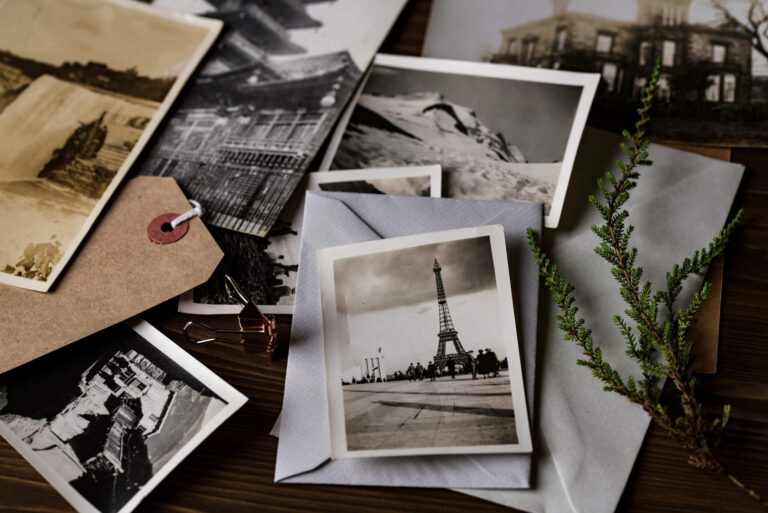
How to Easily Avoid the Biggest Photo Organizing Mistakes

Facebook
Twitter
LinkedIn
Pinterest

Getting photos organized is no easy feat. It is often pushed to the back burner, yet our photos are often one of the most important items in our lives. Are you ready to get your photos organized without wasting time—or getting stuck in overwhelm? Keep reading to learn how to avoid the top 5 common pitfalls.

Mistake #1: Not Having a Plan

It’s easy to quickly get overwhelmed by boxes of loose photos and dusty albums. The best way to waste the least amount of time, and have the greatest chance of reaching your goal? Follow these steps:

  1. Establish your vision.What do you ultimately want to do with your photos? Maybe you want a photo wall for your grandchildren, photo books for each year, or an online gallery for family to enjoy. Decide now what your end goal looks like.
  2. Consolidate. Bring your collection together in one place. Take your time and be thorough. Then sort like with like. Download my free Finding Photos Checklist here.
  3. Sort.

    Use the ABCs Method to simplify decision-making. Hold or view each photo for 2 seconds and decide:

    • A: Album-worthy photos

    • B: Box (supports A’s but doesn’t need to be digitized or printed)

    • C: Trash (outtakes, blurry shots, duplicates, or photos that aren’t great)

    • S: Story (photos that tell a story, even if they aren’t perfect)

  4. Scan. Once your photos are sorted, scan your A and S photos. For standard prints (up to 8×10), a sheetfed scanner is efficient. For fragile, sticky-backed, or oddly sized photos, use a flatbed scanner.
  5. Save. Follow the 3-2-1 Method: 3 copies, 2 formats, 1 off-site. For example: one printed copy, one on a hard drive, and one in the cloud. This protects your memories no matter what happens.

Read more in this blog post.

Mistake #2: Reminiscing

It’s tempting to go down memory lane—but now isn’t the time. Texting a photo to your sister or stopping to reminisce may feel fun, but it slows your progress and makes it harder to finish.

If avoiding this rabbit hole feels impossible, a certified photo organizer can help. A third party who isn’t emotionally attached can keep the project moving so you can enjoy the rewards. Find a certified photo organizer in your area here.

Mistake #3: Starting with the Wrong Focus

It may be tempting to tackle loose photos first, but start with albums, framed photographs, and items in processing envelopes. Frames and albums are often favorites and naturally provide a timeline. Loose photos usually fall into place later, since many are duplicates or still grouped in envelopes, often with dates.

Mistake #4: Not Having Supplies Ready

To set yourself up for success, gather these basics:

  • Photo organizing boxes

  • Note cards

  • Sharpies

  • Sticky notes

  • A spacious, designated work area

Extra tools that can make the process easier:

  • Nitrile gloves – protect photos from fingerprints and oils

  • Microfiber cloth – gently clean dust or debris and remove sticky residue

  • Divider tabs or index cards – keep categories, years, or events separated

  • Digital photo scanner app – handy for memorabilia or oversized items

  • External hard drive (1–2TB) – your digital organizing hub

  • Extra cloud storage – temporary space for consolidation, then downsize once organized

  • Archival-quality storage boxes or binders – safe long-term storage (use after sorting)

Mistake #5: Not Facilitating Outside Help

Not everyone has the time or expertise to organize their photos. As the saying goes, “We can do anything, but not everything.”

If learning scanning technology or digital photo organizing isn’t feasible, a certified photo organizer can help. Their expertise ensures your collection is organized efficiently so you can enjoy the results without stress. Find a certified photo organizer here.

Additional Tips

External hard drive labeled with purchase date connected to a laptop, used for backing up family photos and digital memories with a professional photo organizer in Ann Arbor, Michigan.
  • Use a new external hard drive (1–2TB). Label it with the date and plan to replace it every 3–5 years to keep your digital collection safe and current.
  • Sort memorabilia separately. Handle it like your photos, but store it in its own collection. For items too fragile, sticky, or oversized for a flatbed scanner, a scanning app on your phone works perfectly.

Whether you want to tackle your photo project yourself or hand it off entirely, the important thing is to start. Download my Finding Photos Checklist for a quick win, or contact me to see how I can help you reach your organizing goals faster.

Share this post

Facebook
Twitter
LinkedIn
Pinterest

keep reading

Picture of Hello!

Hello!

I’m Ashley, a professional photo organizer based in Metro Detroit, Michigan. My journey began with home organizing, helping families create functional, stress-free spaces. Over time, I discovered a deep passion for photo organizing—preserving memories and bringing order to life’s most cherished moments.

I love helping clients reach their photo organizing goals. My job is to help you feel lighter, happier, less stressed, and more confident when your project is complete.

Scroll to Top